Sublime and Emmet. Increase your development speed
In this article I'm going to tell a few words about one of my favorite editors Sublime text. It's very light, easy to use, provides many interesting user settings like changing color schemes or fonts, and the most important - it has plenty of usefull plugins, that helps to improve the speed and quality of the development.
The first thing you need to do after sublime text installation is to download and install package manager. It is pretty easy to do by following these instructions. This package manager will help you to find, install and monitor different plugins, like js minificators, less/sass compilers, bootstrap snippets, linting, formatting and many many other cool things. By the way you can write your own packages!
My the most favorite one is Emmet (formal known as Zen coding). This thing saved me so much time! (so I have enough to write some articles ☺). So let me show how to install it and what it can do.
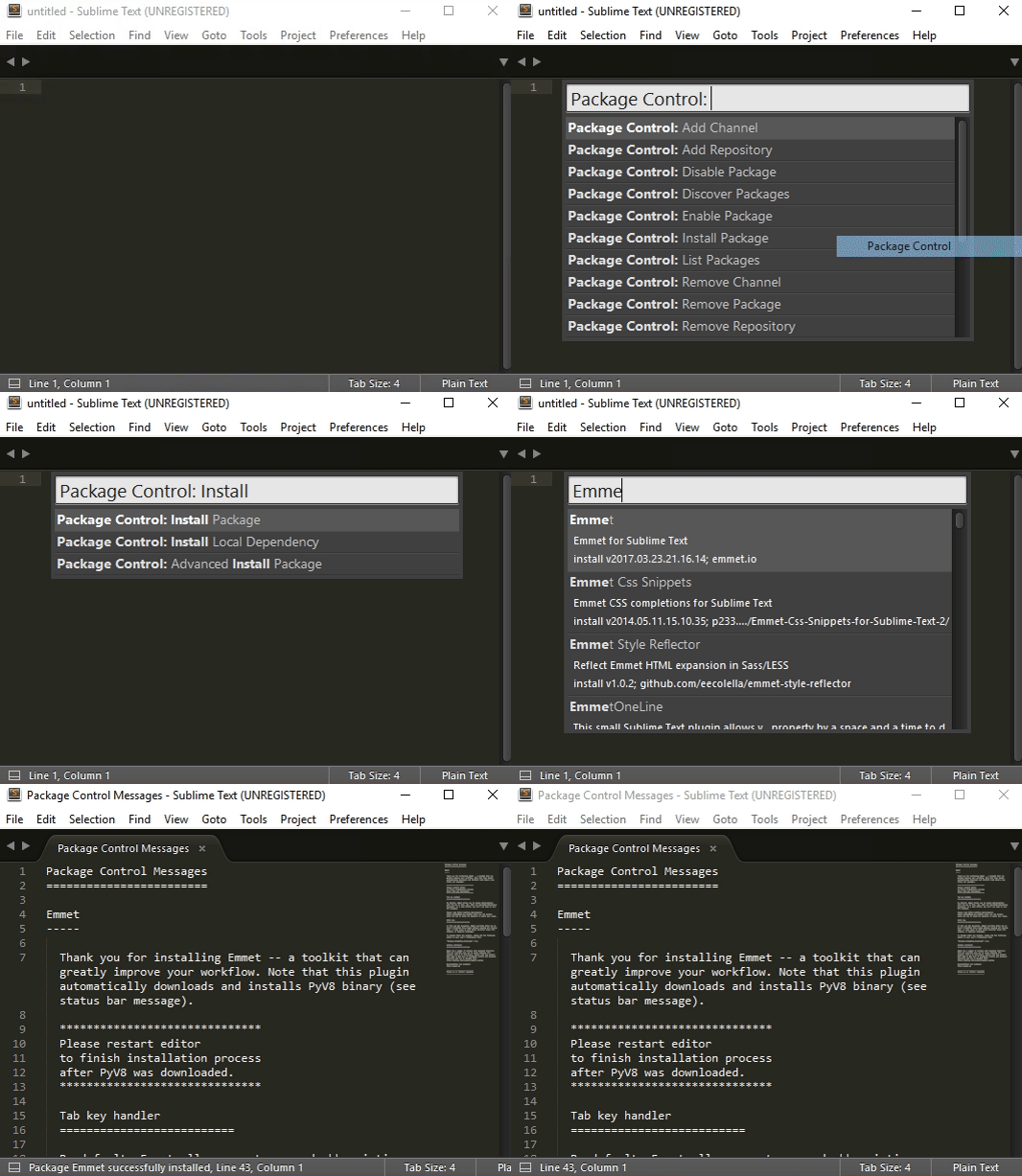
- To open package control click
Ctrl + Shift + Por selectPreferences -> Package Control - Find
Package Control: Install Package. When you click on it new window appears. - Type
Emmetinside this window and click on the first top link. - Restart Sublime and enjoy!
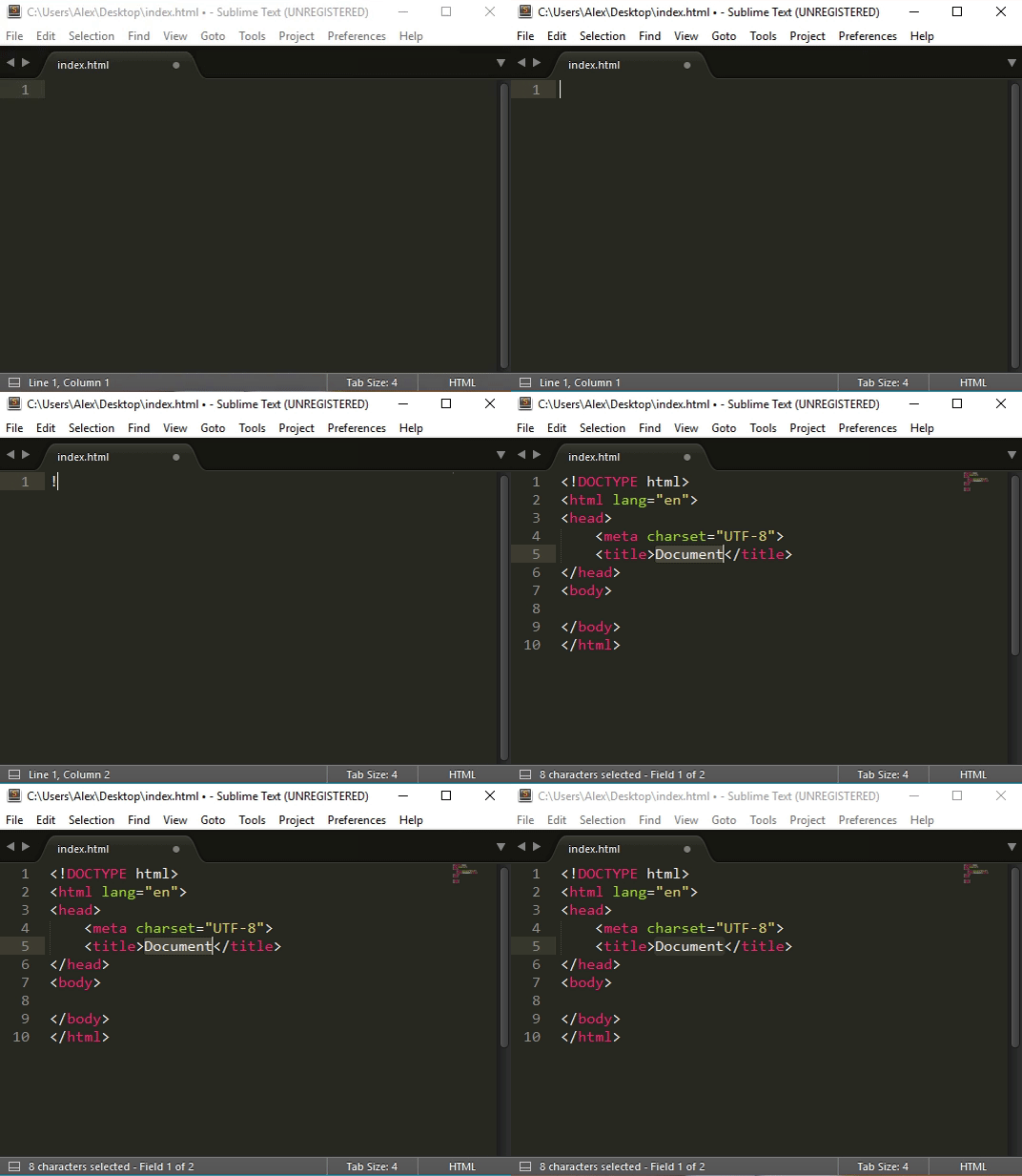
So what's cool about Emmet? It allows you to save time when you creating html and css files. You no longer needed to type long lines of code, creating opening and closing tags, copy/paste lorem text - Emmet will do it for you! Need to start new HTML5 document? No problem, just type ! and press Tab and let the magic happen!
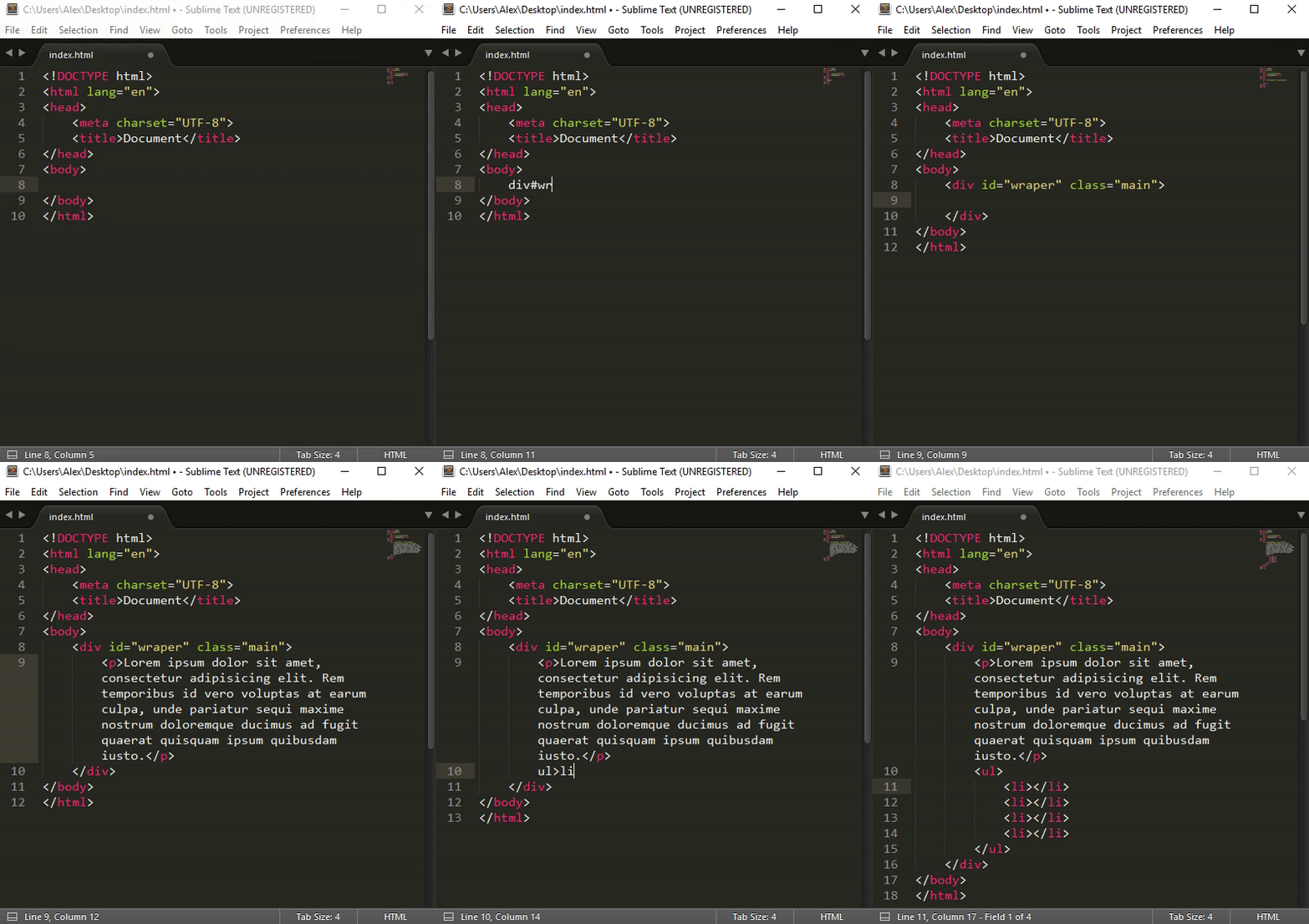
You can create elements with specific id div#wrapper and specific class div.main, you can create several items li*3, you can generate several items inside one ul>li*5 and you can generate lorem ipsum text with any amount of words you want p>lorem30.
If you want learn more about this powerfull plugin abbreviations, visit official emmet documentation. Optimize your work to save more time for creating cool things!